Create an account. After you have reviewed these instructions CLICK the “Online Giving” button at the bottom of this page.
INSTRUCTIONS
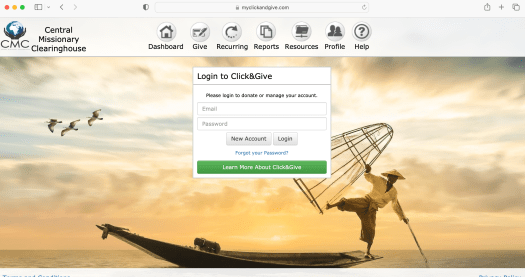
On the first screen CLICK “New Account” under “Login to Click&Give:
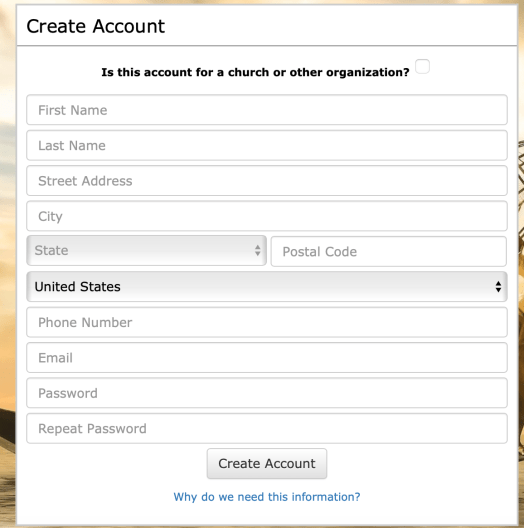
Fill out the “Create Account” form and CLICK “Create Account”
- You will then receive an email. Open the email that you are sent and follow the instructions in it.
- Once you have entered the “click & give” site with your new login you can choose to make a donation.
- Follow the directions on the screen
- Click on the second icon from the left (looks like a check with a pen on it).
- Then select whether you wish to give using your credit card or through your bank account. (Please realize that if you use your credit card 2.75% + 0.25 of the entire donation will be deducted each time you donate by your credit card company. However, if you set up the gift through your checking account using the routing number the transaction fee will be a flat $0.90 no matter the donation.)
- You will need to fill in your information with either one you choose.
- In the second box labeled ”Giving Details” – select your missionary’s name from the drop down box (labeled Search for Account) If your missionary is not listed, you can choose “other” from the drop down list and then type their name in the memo field on the next page
- Input the amount you would like to give and click Add to Donation.
 Basses in Guatemala